Most sites I open as a developer have the same handful of accessibility problems: form fields without labels, low-contrast text, icon buttons that a screen reader announces as just "button". None of it is hard to fix. The hard part is that site owners don't know it's there.
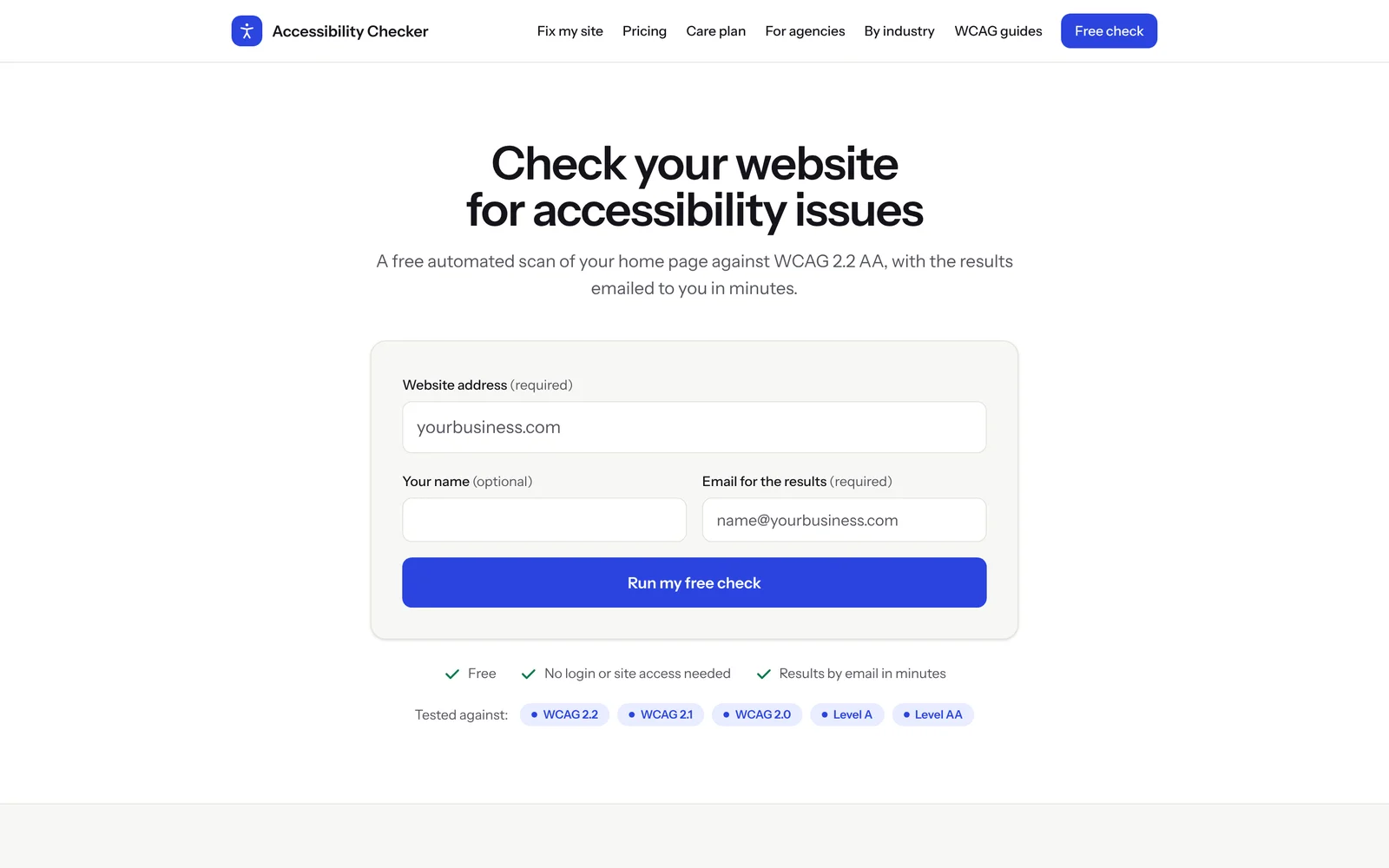
So I built a11ycare.app - a free checker that scans your home page against WCAG 2.2 AA and emails you a plain-English report in a few minutes. Behind it sits a simple service: if the scan finds problems, I fix them in the site's code and can keep them fixed.
The problem I wanted to solve
Accessibility tools usually fall into two camps. Developer tools like browser extensions are great, but a business owner won't install one. Overlay widgets promise "instant compliance" but leave the actual code issues in place.
I wanted something in between:
- No install, no login, no access to the site. You enter a URL and an email - that's it.
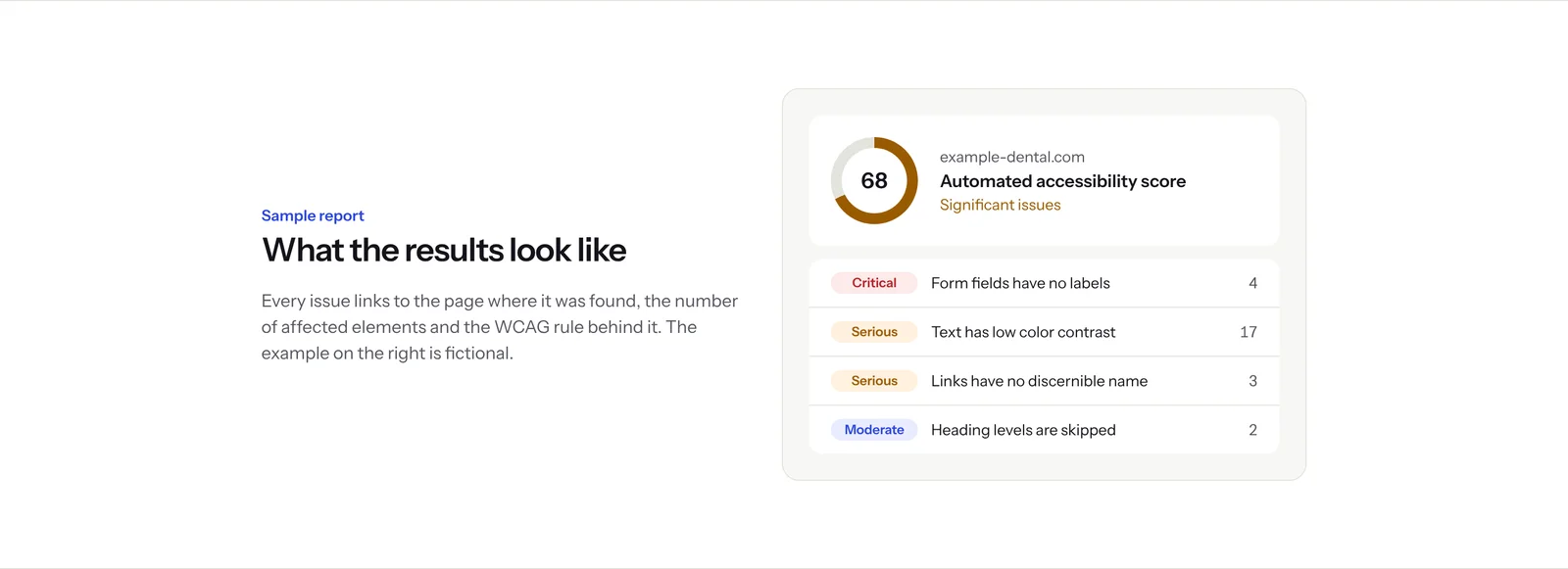
- A report a non-developer can read. Each issue says what is wrong, where it is and who it affects - screen reader users, keyboard users, people with low vision.
- An honest scope. The tool says clearly what an automated check can find and what still needs a human.
How the check works
When you submit the form, the checker opens your home page in a real browser, on desktop and on mobile, the same way a visitor would. It tests the rendered page against WCAG 2.2, 2.1 and 2.0 at levels A and AA.
Testing the rendered page matters, especially for WordPress. A plugin inside wp-admin only sees what WordPress knows about. A real browser sees everything the visitor gets: theme templates, page builder widgets, plugin markup, cookie banners, chat widgets and whatever the caching plugin did to the HTML.
The results come back as a private report link by email, with issues grouped and sorted by severity.
Being honest about automation
Automated scanners catch a lot, but not everything. I didn't want the tool to pretend otherwise, so the home page has a section that splits it out plainly.
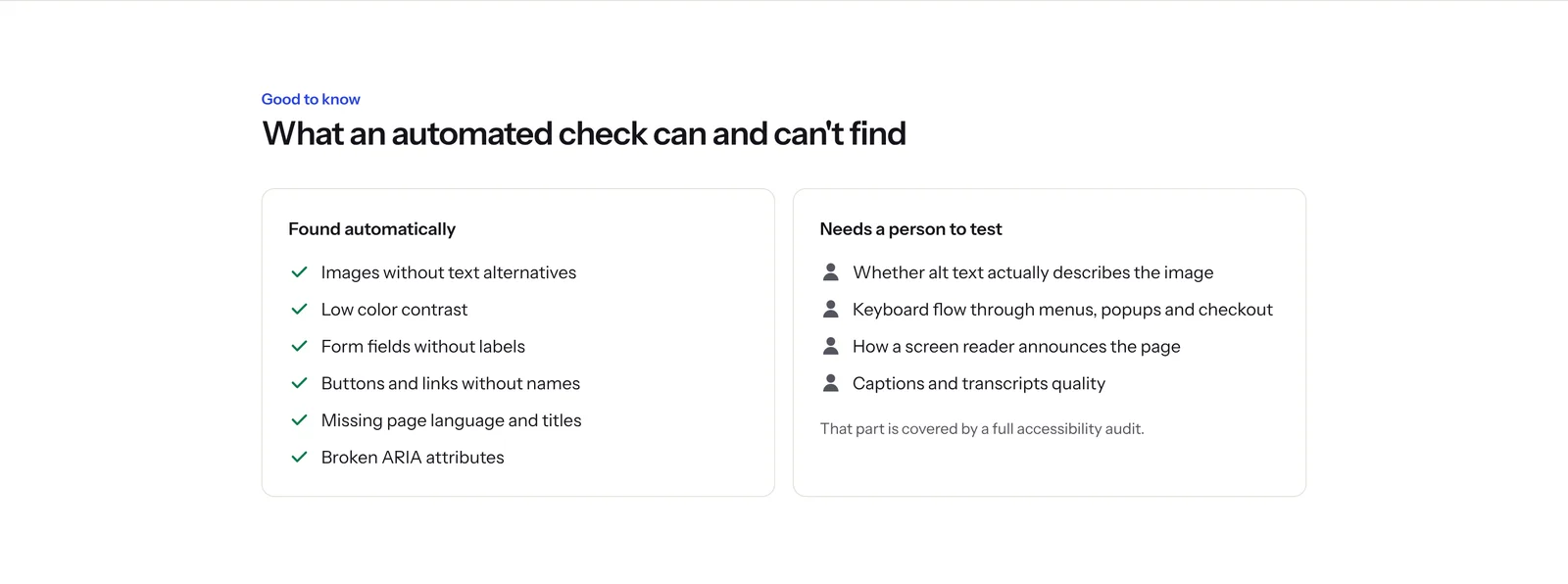
Things like "does this alt text actually describe the image" or "can I get through checkout with only a keyboard" need a person. That part is covered by the full fix, where I do manual keyboard and screen reader testing of the key user journeys.
From free check to fixed site
The checker is the first step of a three-step flow:
- Free check - an automated scan of the home page, desktop and mobile.
- Full fix - a scan of every page in the sitemap, manual testing, and every issue fixed in the theme, templates or code. There's a before and after report, and the price is fixed before any work starts. Payment comes only after the fixes are live and checked.
- Care plan - daily scans of every page, extra checks after plugin, theme and content updates, and new issues fixed as they show up.
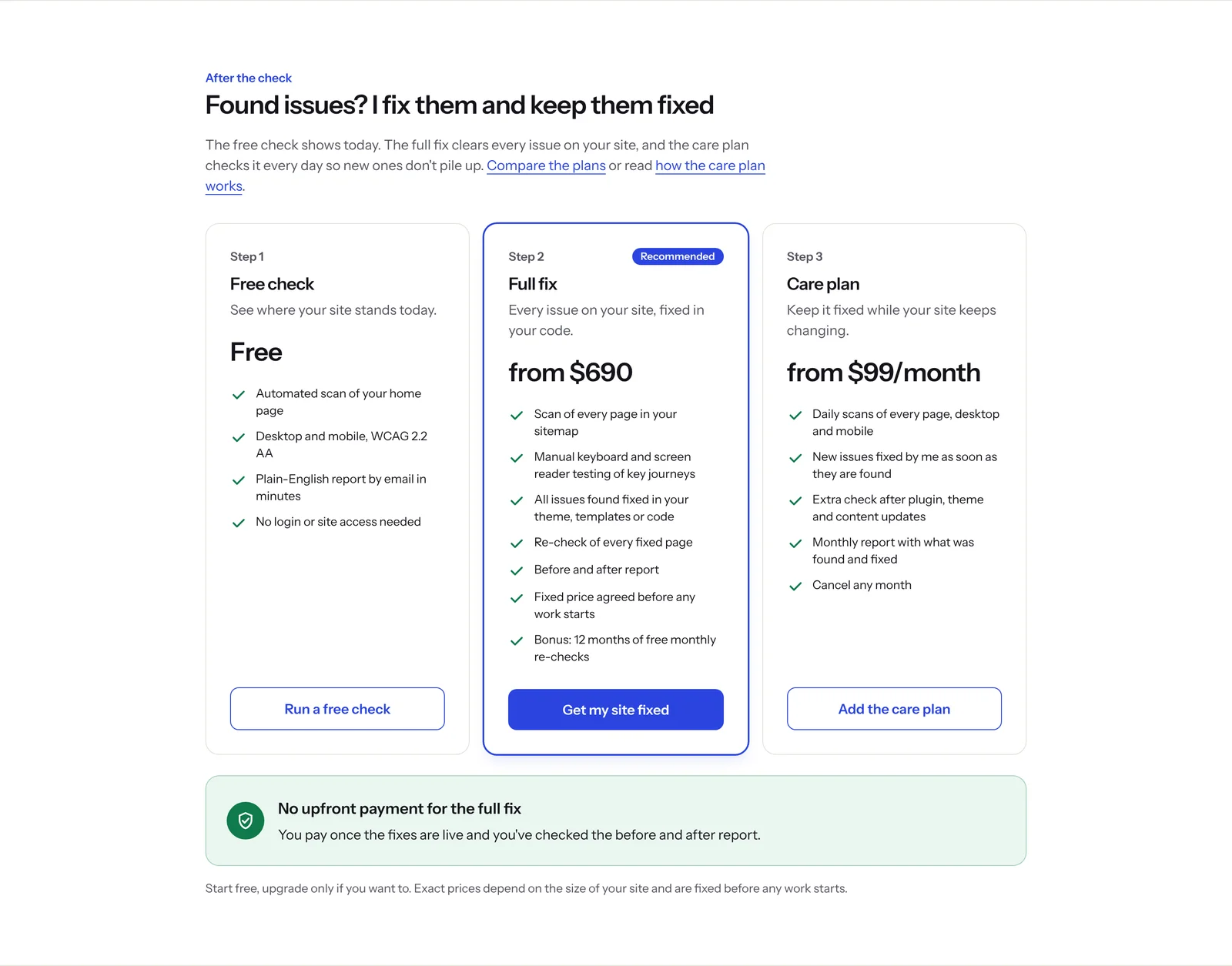
The care plan exists because accessibility is not a one-time task. A WordPress site changes every week - new posts, plugin updates, a new landing page from the marketing team. Each of those can bring a new issue back.
White-label work for agencies
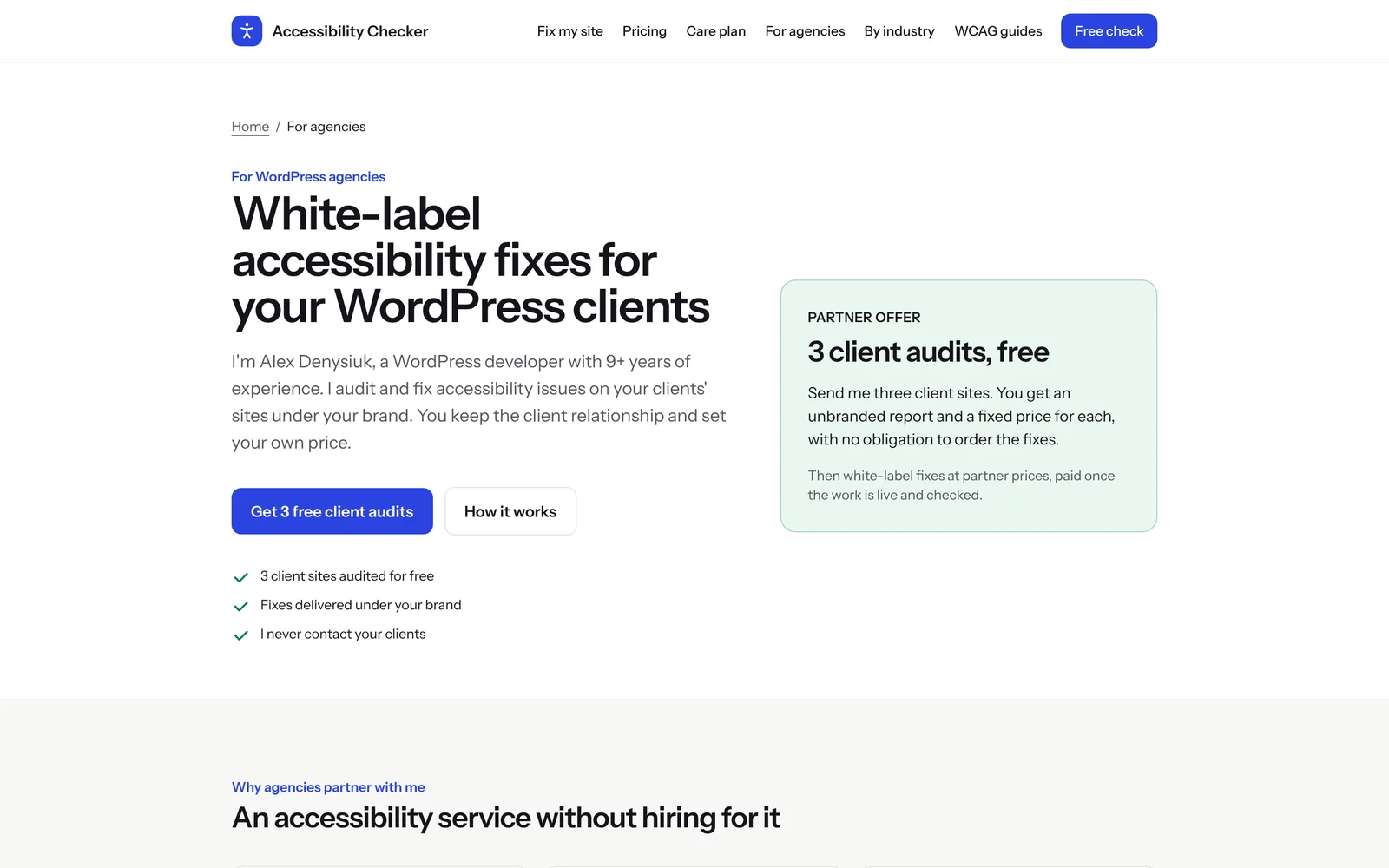
A lot of my work comes through WordPress agencies, so the site has a separate page for them. Agencies get more and more accessibility questions from clients, but hiring a specialist for a few projects a year rarely pays off. I audit and fix their clients' sites under the agency's brand, and I never contact the end client.
Content that helps people fix things themselves
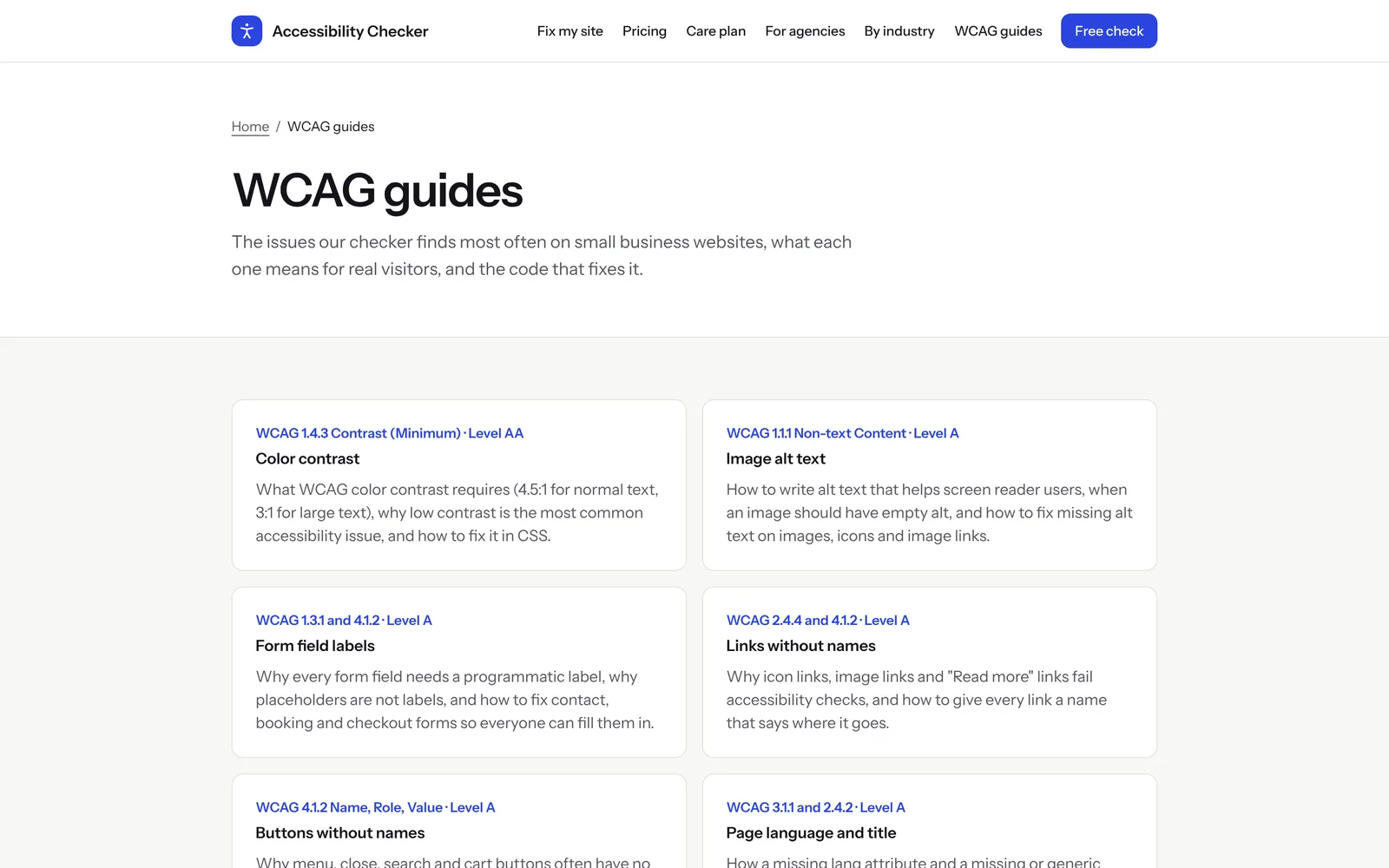
Not everyone needs to hire someone. For people who want to fix issues on their own, the site has short WCAG guides for the most common problems - color contrast, image alt text, form labels, links and buttons without names, page language and title. There are also pages for specific niches: law firms, healthcare practices, online stores and education.
The stack
- Laravel on the backend.
- React for the front end.
- Playwright to open each page in a real headless browser on desktop and mobile viewports.
- Cloudflare Turnstile plus a honeypot field to keep bots from running scans.
I built it with Claude Code as a pair programmer and used the Playwright MCP to check the pages in a real browser while developing. It was a good test of an AI-assisted workflow on a real product: I made the product and architecture decisions, the agent sped up the routine parts, and I reviewed everything that shipped.
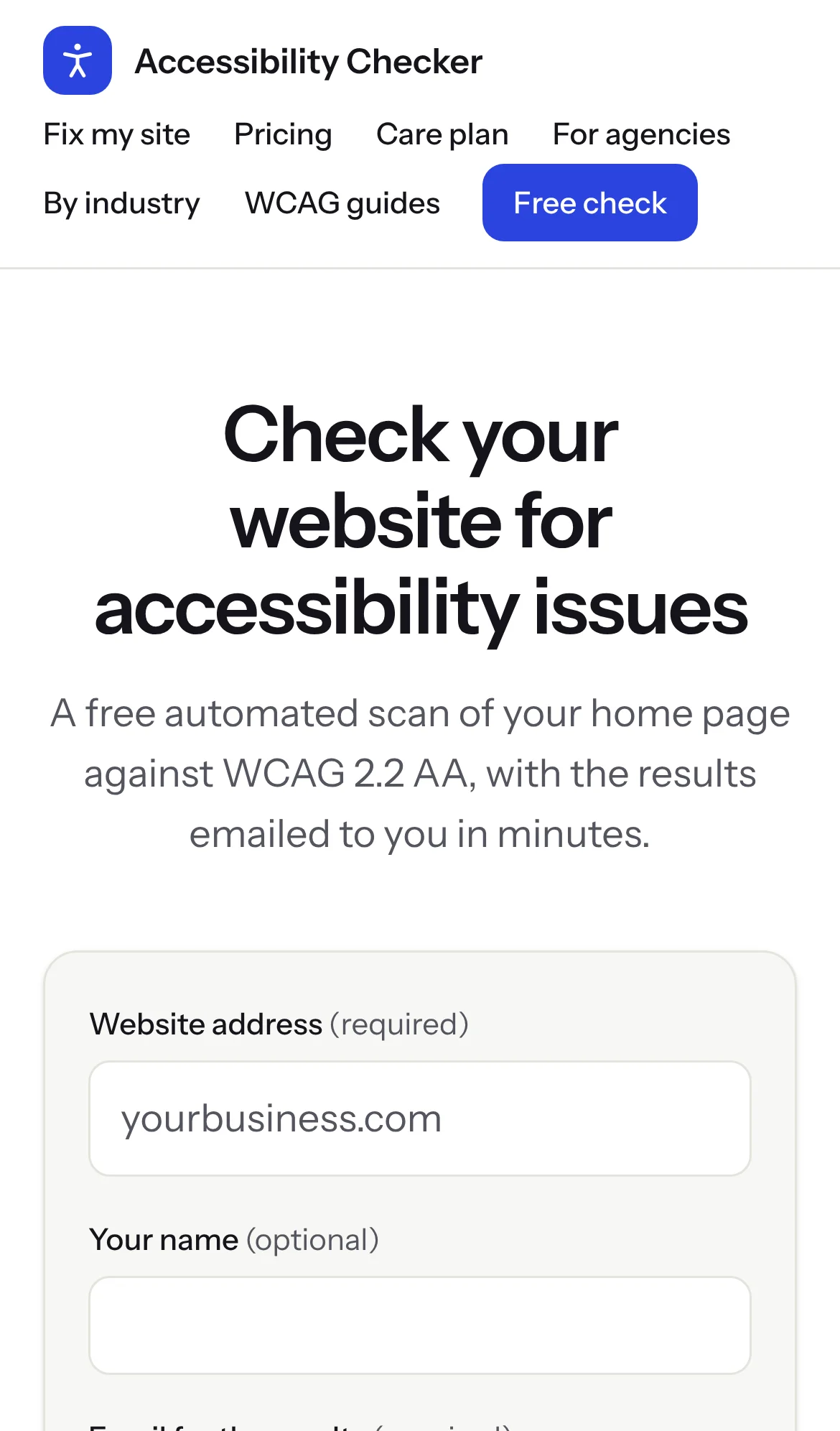
Of course, an accessibility tool has to be accessible itself. The site has a skip link, labeled form fields, and it works on a phone.
Try it
If you have a website, run a free check on a11ycare.app - it takes a minute and you'll get the report by email.
And if you're an agency or a team looking for a WordPress and PHP developer who cares about details like these, get in touch. I'm open to full-time roles and contract work.